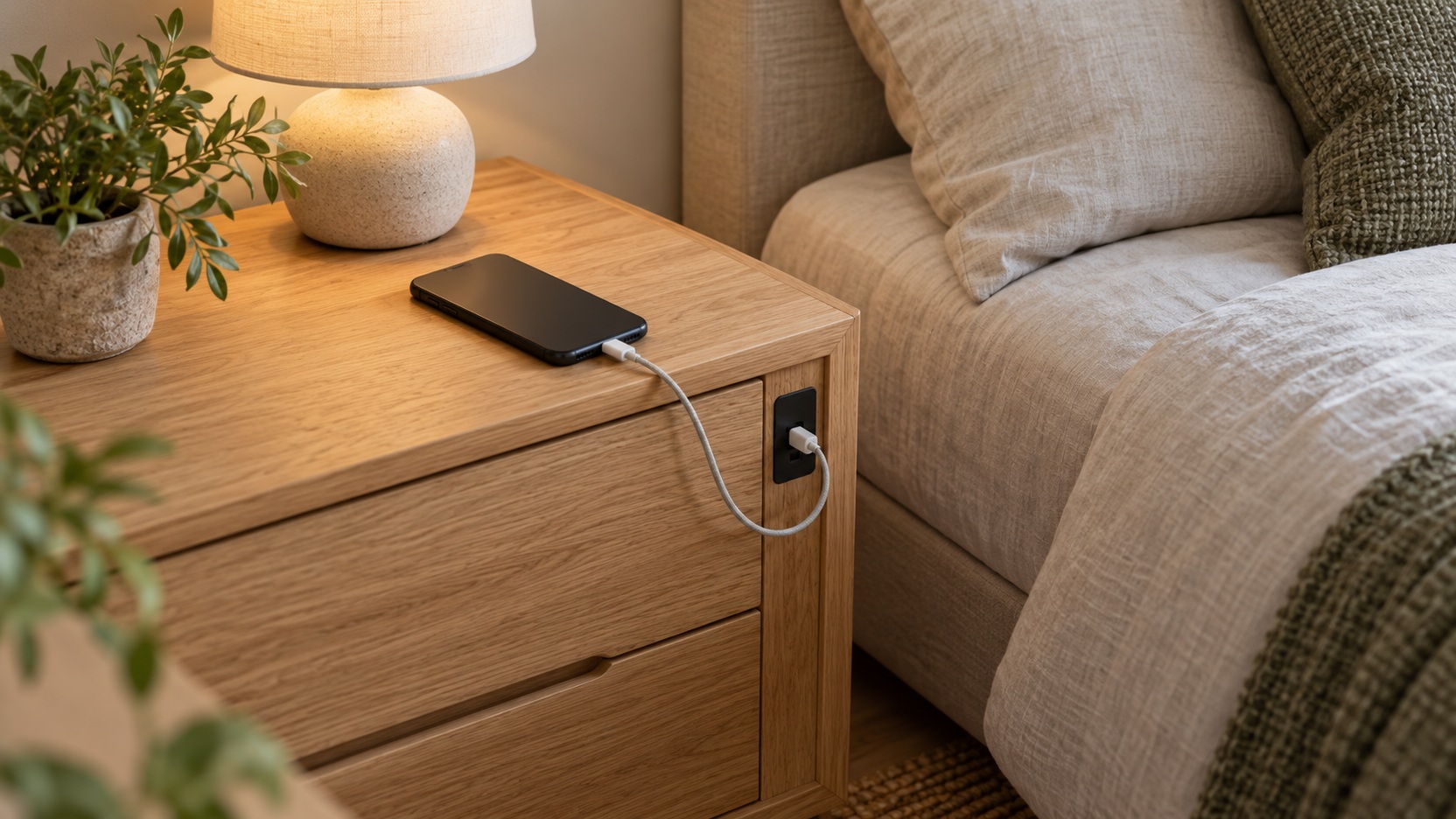
Buy the Charging Setup You Will Actually Use
A charging nightstand can simplify the bedside when its outlets, ports, and cable routes suit the devices you own. It can also add permanent electronics to an otherwise ordinary cabinet without making charging faster or more convenient. The useful distinction is in the details: where a plug fits, whether a port provides the required power, how a cable reaches the pillow, and what happens if the built-in module stops working. Start with your real nighttime charging routine before comparing decorative features. A well-placed standard charger on a good table may serve better than an elaborate integrated station, while a thoughtfully designed powered nightstand can make a busy bedside noticeably easier to maintain.
A: No. Check its documented output and compatibility with the device.
A: No. Protection must be a specifically documented function.
A: No. The phone, charger, accessories, and case must be compatible.
A: The available output may be shared across the connections.
A: It depends on reach, plug clearance, the bed, and your wall layout.
A: Only use an enclosure as intended by the equipment and furniture manufacturers.
A: Ask whether it can be replaced and who is allowed to perform the work.
A: Yes. Compare it with a separate compatible charger as a complete setup.
A: Check its nighttime behavior and intended dimming or switch-off controls.
A: Documented compatibility and convenient, serviceable placement for your actual devices.
List the Devices and Their Charging Requirements
Write down what you regularly charge beside the bed rather than what you might charge occasionally. A phone, watch, and pair of earbuds create a different setup from a tablet or laptop. Check the charging instructions and existing adapters for those devices. Connector shape alone does not explain power compatibility, and the most convenient arrangement may still involve retaining one of the adapters you already use.
Note whether devices charge together or at different times. A product photograph showing several ports does not establish how much power each provides during simultaneous use. Look for a clear specification covering the combinations you need. If the listing does not explain shared output, ask before treating the advertised total as a promise of full power at every connection.
Separate essential requirements from pleasant extras. If your phone charges overnight at an acceptable rate, faster charging may not change the bedtime experience. Convenient placement, accessible plugs, and a clear tabletop could matter more. Giving each requirement a priority keeps the purchase focused on the friction you want to remove.
Understand the Difference Between Outlets and USB Ports
A built-in mains outlet lets you use a compatible device adapter within the module’s electrical limits. That flexibility can be valuable when charging technology changes or different household members use the same room. Check whether the outlet arrangement accommodates the shape of your adapters. Closely spaced sockets can become effectively unusable when one wide plug covers its neighbor.
USB ports offer a more integrated appearance, but their usefulness depends on the actual charging specification. USB-C describes a connector type and does not by itself guarantee a particular power level or charging protocol. A familiar-looking port may charge a phone slowly or be unsuitable for a more demanding device. Compare documented output and compatibility rather than assuming newer connectors solve every charging need.
Judge Wireless Charging as a Specific Use Case
A wireless pad can reduce the number of loose connectors on the tabletop when the device and charger are compatible. It is most useful if placing the phone in its charging position feels easy and repeatable. Check the supported device types, required power supply, and any case limitations. A neat integrated surface is less appealing when you must repeatedly reposition the phone to establish charging.
Consider how you use the phone while it is charging. A flat pad may suit someone who leaves the device alone overnight, while another person may prefer a compatible stand or a cable that allows easier handling. Magnetic alignment features also require the appropriate device and accessories. Choose the arrangement around your habits instead of treating wireless charging as an automatic upgrade.
Follow the charger and device instructions for ventilation and placement. Keep the charging surface free of bedding and unrelated objects, and do not conceal powered equipment inside a closed compartment unless the system is specifically designed for that use. The furniture should make appropriate charging easier to maintain. Hiding the electronics is not a benefit if it encourages an unsuitable setup.
Place the Charging Module Where Hands Can Reach It
A module on the rear panel can hide plugs from view, but it may be awkward behind a large headboard or close-fitting cabinet. A top-mounted module is easy to reach yet consumes surface space and may compete with a drink or lamp. Side-mounted connections create another set of clearances. Evaluate the actual module position in relation to the bed, wall, and nearby walking route.
Measure the space around the connection points with your real adapters and cables in mind. A plug needs room to enter and remain without being forced against another surface. Keep controls and connections accessible for inspection or disconnection. A charging station that only looks tidy when pushed tightly against the wall may not be suitable for the available gap.
Look for Clear Electrical Identification
Choose products that provide identifiable electrical ratings and credible independent safety certification appropriate to the powered components and intended market. Check the actual module or its documentation rather than relying only on a promotional badge in a photograph. The model and certification information should be specific enough to verify. An unexplained claim that furniture is safe tells you little about the installed electrical unit.
Distinguish certification of a component from a claim about every part of the complete piece. A charging module can have its own evaluation while the cabinet’s stability, assembly, and materials require separate consideration. Similarly, an outlet does not become a surge protector simply because it is built into furniture. Look for a documented protection function if that feature matters to your purchase.
Read the power-use instructions before planning the final setup. Respect the module’s stated limits and the manufacturer’s connection guidance, and avoid improvised modifications. Do not treat the nightstand’s outlets as permission to connect any nearby appliance. The intended devices and the equipment’s ratings should guide how the powered furniture is used.
Consider Cable Management From Wall to Device
Good cable management includes the module’s own power cord, not just the short leads visible on top. Check where that cord exits and how it will reach the wall socket without crossing a walking route or being pinched. A rear cable recess may help, but its dimensions still need to suit the plug and connection. Leave the access required by the product’s instructions.
On the device side, look for a route that keeps the useful cable end within reach without placing unnecessary strain on the connector. An opening through a drawer may not help if the drawer movement catches the lead. Test moving parts with the planned route before loading the storage. The goal is orderly access rather than tightly bundling every cord out of sight.
Make Replacement Access a Buying Priority
Furniture can remain useful after a charging standard changes or an electronic component fails. Ask whether the module can be replaced, whether a compatible replacement is available, and who is permitted to carry out that work. A removable unit with clear service instructions may offer better long-term flexibility than a sealed installation. Do not assume that visible screws mean a component is safely user-serviceable.
Consider how the cabinet would function without the built-in electronics. Would it remain a good nightstand, or would the failed pad leave an awkward recess in the only usable surface? A separate compatible charger can be easier to replace independently. The integrated version needs enough everyday convenience to justify combining those lifecycles.
Keep purchase records and the module’s identifying information with the assembly instructions. That makes later support, replacement, or product checks easier. If service terms are unclear before purchase, resolve them while you still have alternative options. A cheap powered feature can become inconvenient when no one can explain how to maintain it.
Do Not Let Electronics Distract From Cabinet Quality
The nightstand still needs comfortable height, adequate surface space, and useful storage. Compare drawer dimensions, opening travel, and construction just as you would for an unpowered cabinet. A charging panel cannot compensate for a drawer that scrapes against the bed or a top too small for the lamp. Begin with a furniture form that already serves the room.
Check stability, assembly requirements, and any specified restraints. Include the weight and position of lamps and other belongings in the planned arrangement. Small cabinets with integrated electronics still need appropriate installation and care. The electrical feature is one part of the purchase rather than a substitute for assessing the furniture itself.
Evaluate Indicator Lights and Nighttime Distractions
A charging indicator may be useful when checking that a device has connected, but its brightness and location can matter in a dark bedroom. Look for clear information about whether it stays illuminated and whether it can be dimmed or disabled through the intended controls. Product photographs taken in daylight may not reveal how visible it becomes at night.
Think about the wider bedside routine too. A station that displays several devices prominently might encourage the very screen use you are trying to reduce. Another household may value keeping everything together within reach. Choose consciously between convenience, visibility, and the atmosphere you want at bedtime, without assuming that the most connected bedside is necessarily the most comfortable one.
Do not cover ventilation or modify an indicator simply to make the setup darker. Prefer equipment whose normal operation suits the room. If an integrated unit has no acceptable lighting behavior, a separate charger may be a better option. A small annoyance repeated every night can outweigh a feature that looked impressive on the specification list.
Compare the Integrated Option With a Separate Charger
Price a suitable ordinary nightstand and a compatible charging solution alongside the powered model. Compare the complete arrangements, including adapters you must buy and the space each uses. The separate option may be easier to update, while the integrated one may reduce visible clutter. Neither format is automatically better value without considering what is included and how it will fit.
Choose the integrated station when its documented power, placement, cable routes, and service options address a genuine daily need. Choose a separate charger when it provides the same convenience with fewer compromises. The feature worth paying for is the one you can explain in terms of use: easier reach, a better connection arrangement, or a clearer surface that remains practical over time.
Rehearse a Shared Charging Evening
Suppose one person charges a phone and watch, while another occasionally brings a tablet to bed. Compare that real combination with the module’s documented simultaneous output. A row of attractive ports is not enough information. The charging arrangement should support the usual devices without demanding a new nightly decision about which connection to unplug.
Next, imagine the phone being picked up to silence an alarm or answer a call. Check whether the lead reaches comfortably, whether the connector is pulled sideways, and whether another device blocks the landing place. Those details can make a straightforward cable setup more convenient than a built-in pad. They may also show that each bedside needs its own modest charging provision.
Consider a sleeper charging a phone and tablet together while keeping a watch on its separate charger. A nightstand with several ports is only attractive if their documented shared output supports that combination. Another cabinet with one accessible outlet might accommodate the existing compatible charger more conveniently. If its electronics can be replaced separately, the furniture can remain useful after a connector changes. The purchase then solves a recognizable problem: dependable overnight access for three actual devices, rather than a longer port list with an uncertain everyday benefit.